 ReePhly
Reply
AI Reply Generator
An AI reply generator writes a response from a message you already received. ReePhly does that inside the iPhone keyboard. Copy the text, tag who sent it, and tap Reply. Claude drafts an answer you can edit before you send it in Messages, Mail, or any other app.
How does a smart reply keyboard work?
Copy the incoming message
Reply starts from text you copied, not from a blank box. Paste is unnecessary. The keyboard reads the message you just copied when you tap Reply.
Tag who it is from
If you saved that person, tag them so the draft can follow the relationship, writing notes, and example messages you stored. Skip the tag and Reply still drafts, without that context.
Tap Reply, then edit
Claude writes a suggestion only after the tap. You apply what you want and change the rest. The send button is still yours, in Messages or whichever app is open.
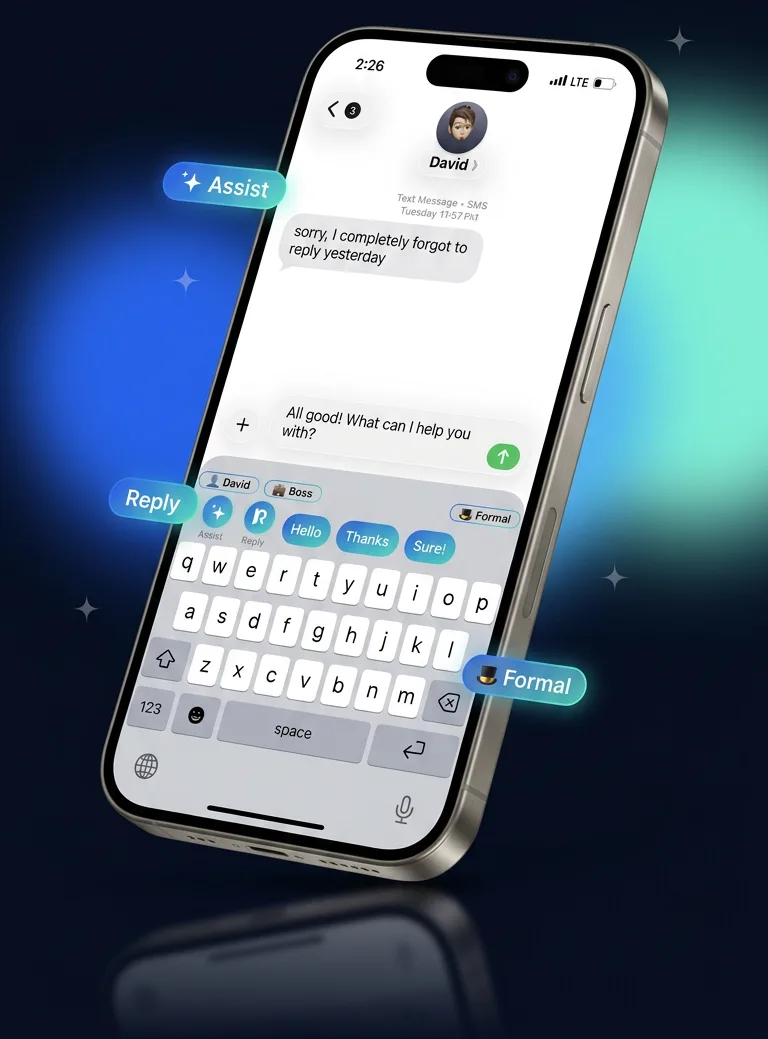
Can an AI keyboard write the reply for you?
It can draft one. It does not send it. You stay in the chat, read the suggestion, and keep, trim, or replace it. That is the whole loop of this AI keyboard that writes replies: copy, tap, edit.
What if the first draft is the wrong tone?
Tag a saved contact before you tap. A reply aimed at a boss can follow different notes than a reply aimed at a friend, because those notes live on the contact, not in a single global style. The context-aware keyboard page explains what you can save.
Where does the copied text go?
It goes to Claude only when you tap Reply. Allow Full Access is what lets the keyboard reach the network for that tap. Text is not uploaded as you type, it is not used for ads, and it is not sold. The privacy policy names Anthropic as the model provider.
Spelling while you type still happens on the iPhone. If you wanted a grammar pass on your own words instead of an answer to theirs, use Assist on the grammar keyboard.
What should the reply actually say?
A draft is faster when you already know the job of the message: answer the question, name a time, or decline. The reply examples walk through a boss, a partner, and a friend before you ever open the keyboard.
Setup is a one-time trip through Settings, General, Keyboard. The ReePhly homepage shows Reply next to Assist if you want the short version first.
Common questions
What is an AI texting assistant on iPhone?
In ReePhly it is the Reply action. You copy a message, optionally tag the sender, and tap Reply. Claude returns a draft in the keyboard. Ordinary typing is not sent.
Does Reply run while I am typing my own sentence?
No. Reply uses the message you copied. Assist is the separate action for a draft you wrote yourself. Neither calls Claude until you tap.
Can I use Reply in Mail as well as Messages?
Yes. ReePhly is a keyboard extension. After you add it and allow Full Access, the globe key switches to it in Mail, Messages, Notes, and other apps that use the system keyboard.