
Takes under a minute
Set up ReePhly
ReePhly is a keyboard extension, so it works in the apps you already use. Add it once, allow Full Access so Assist and Reply can reach Claude, then tag a contact.
1
Add the ReePhly keyboard
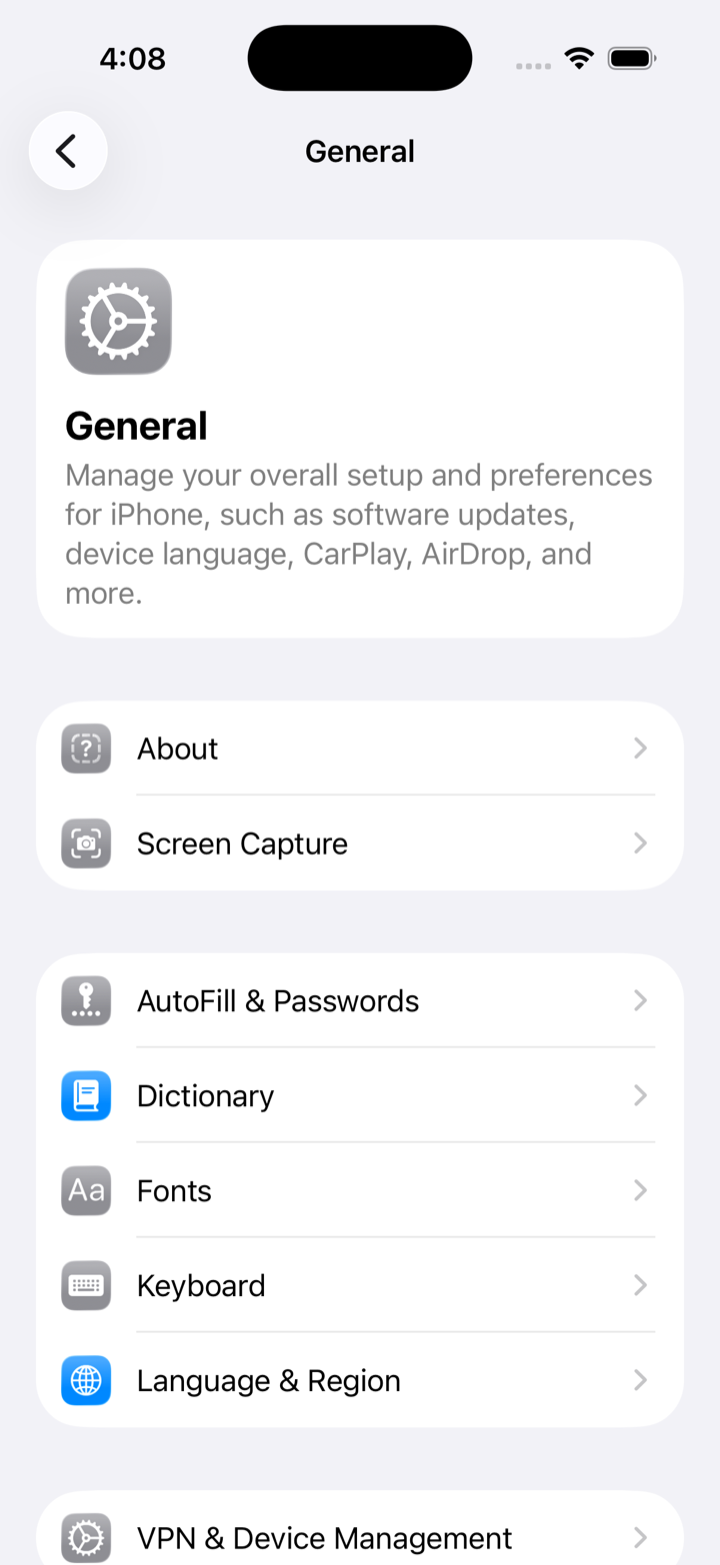
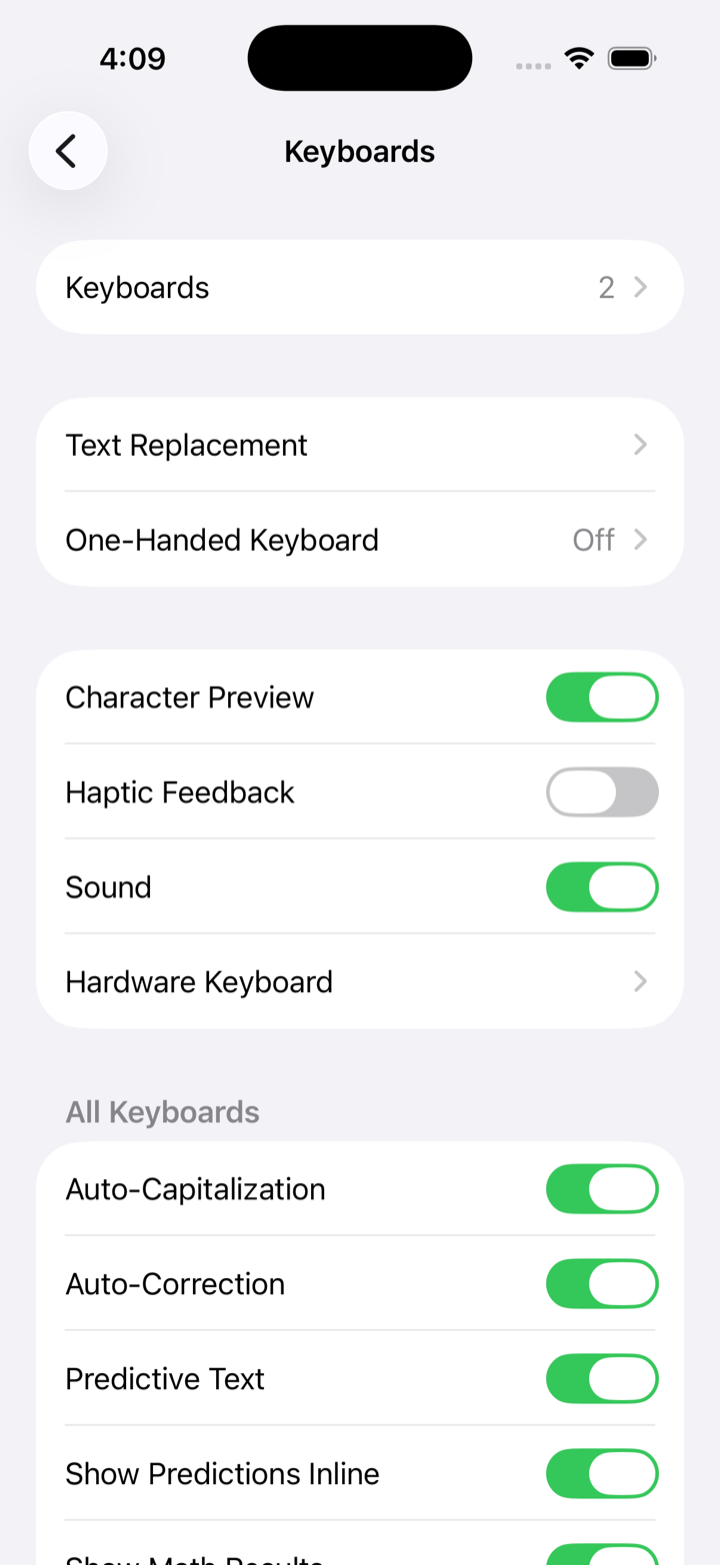
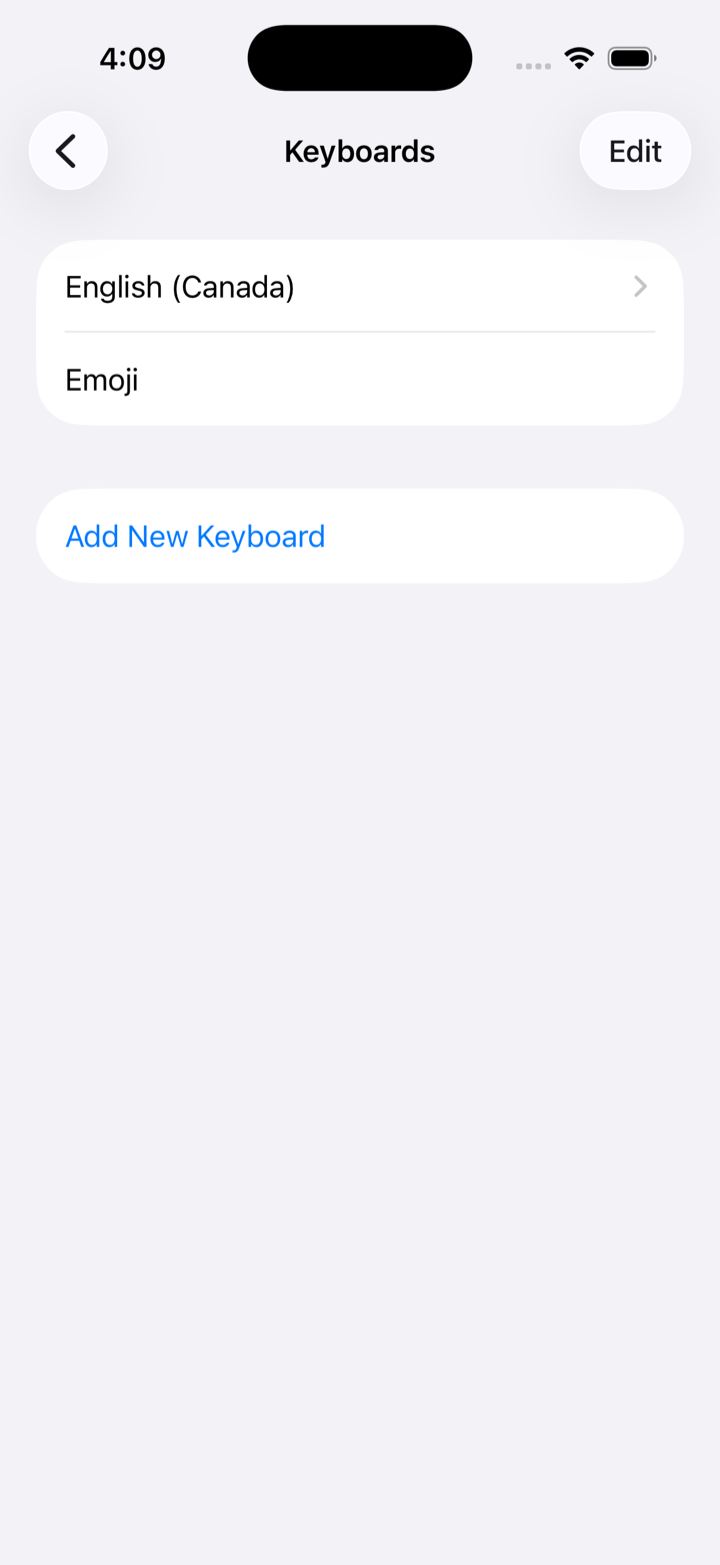
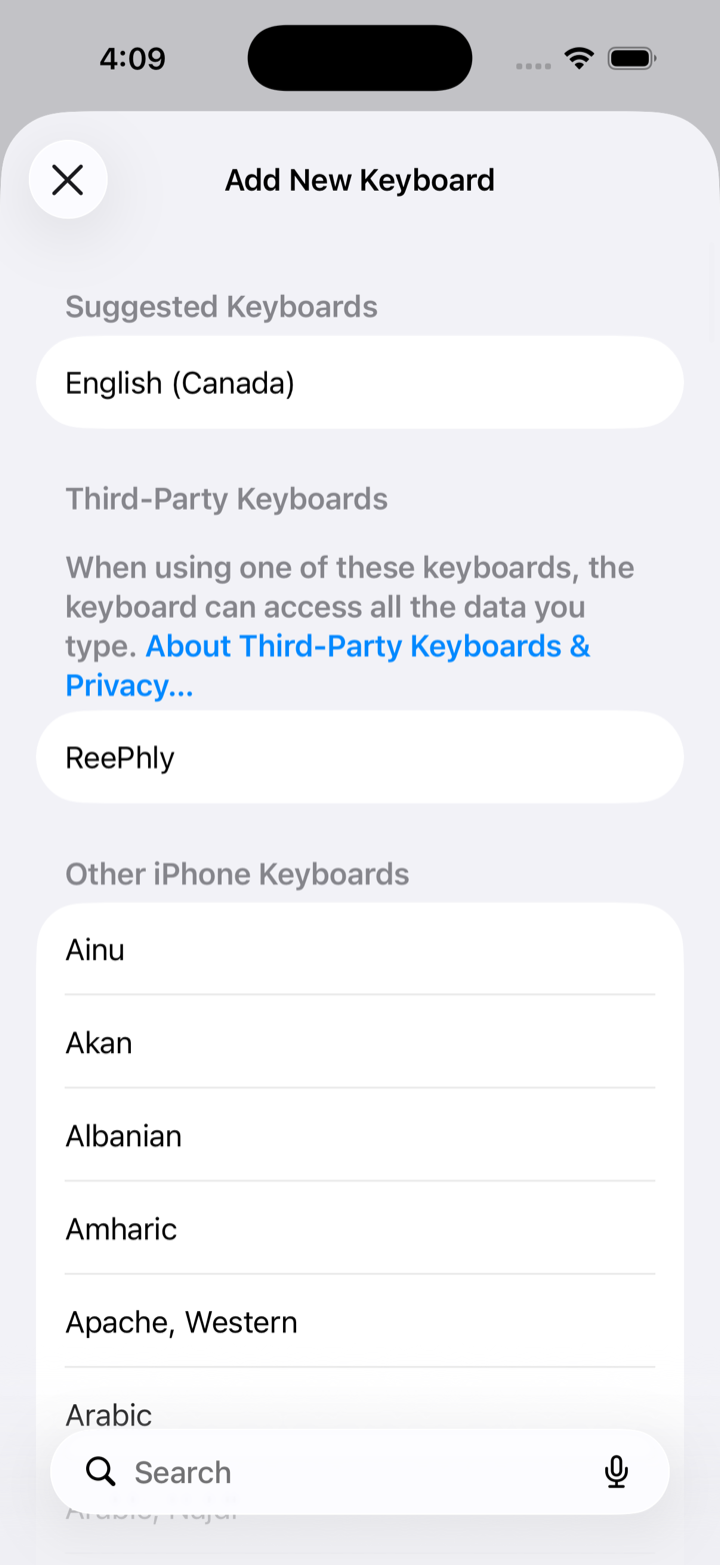
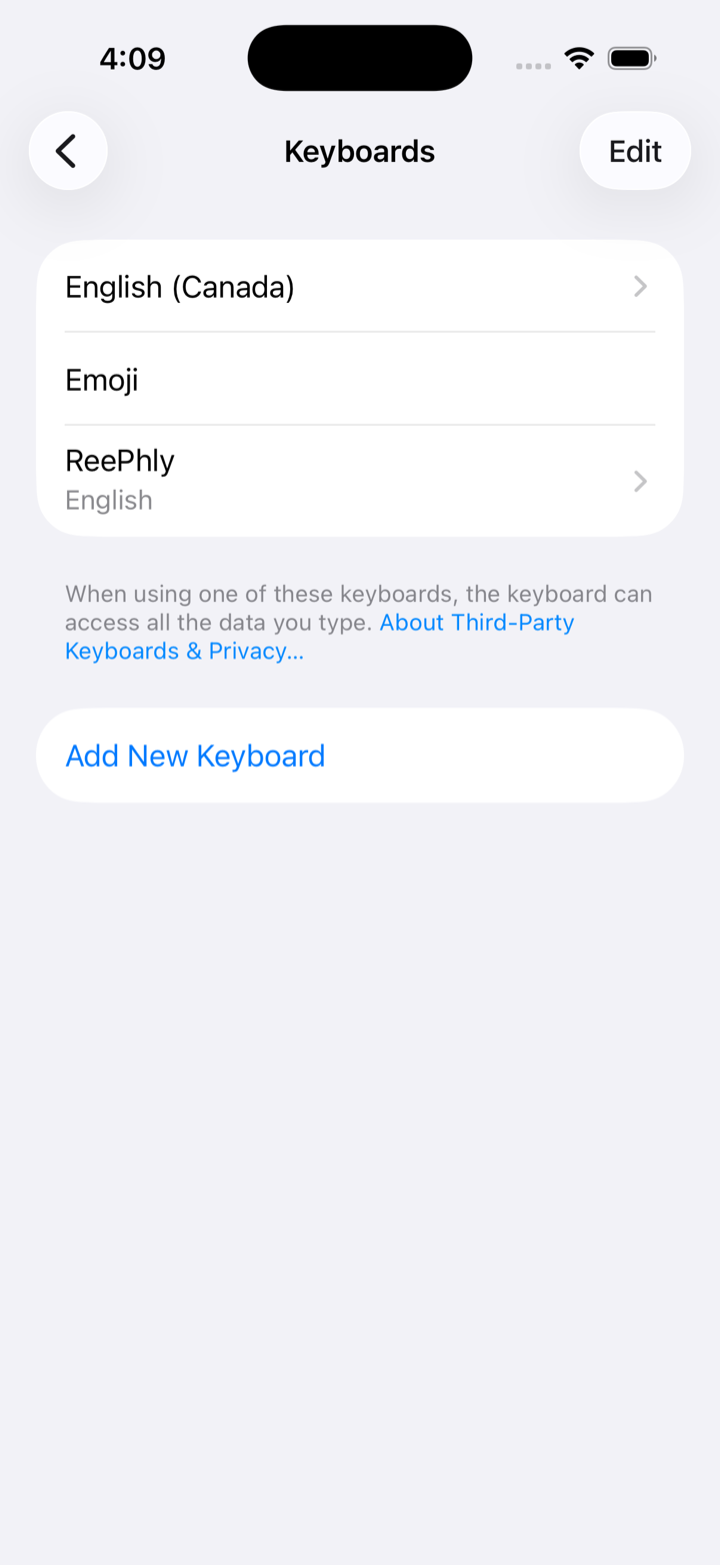
Open Settings, go to General → Keyboard → Keyboards, tap "Add New Keyboard…", and choose ReePhly.
2
Allow Full Access
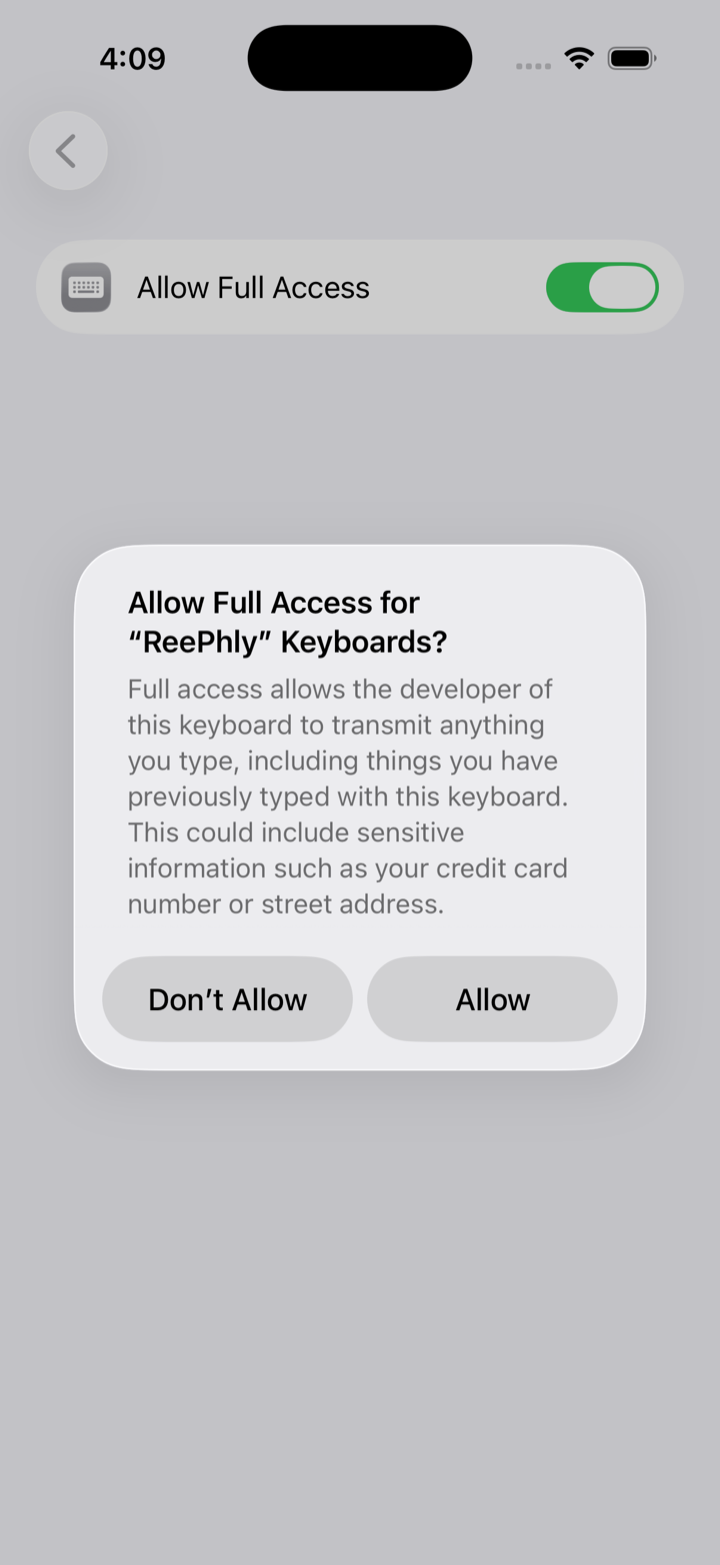
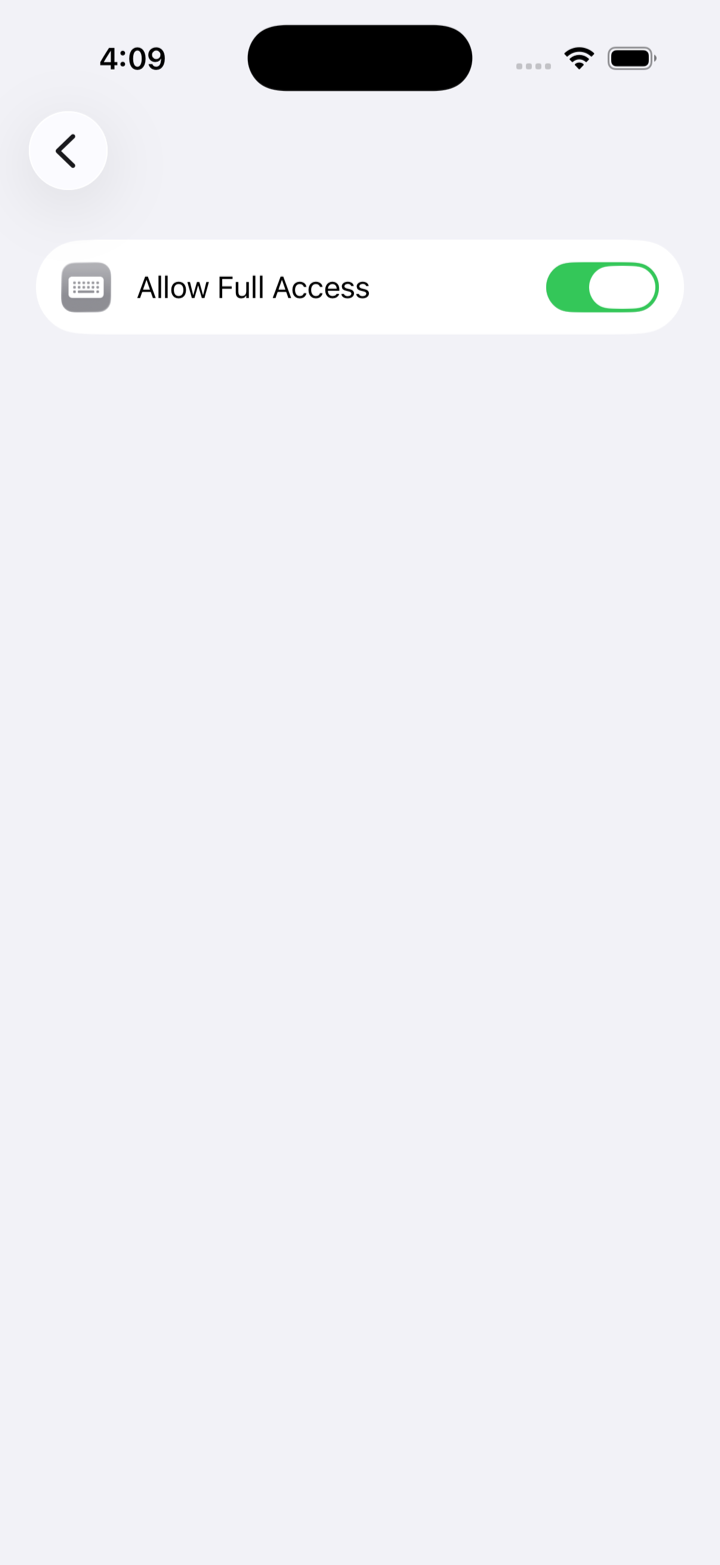
In the keyboards list, tap ReePhly, turn on Allow Full Access, then tap Allow. Full Access is required so Assist and Reply can reach Claude. Text is sent only when you tap a feature, never as you type, never for ads, and never sold.
3
Start writing better
In any chat, tap the 🌐 globe key to switch to ReePhly. Tap Assist to fix grammar and tone, or copy the message you received and tap Reply. Replies follow the contact you tagged and any writing notes or example messages you saved.