 ReePhly
Compare
Grammarly Keyboard Alternative
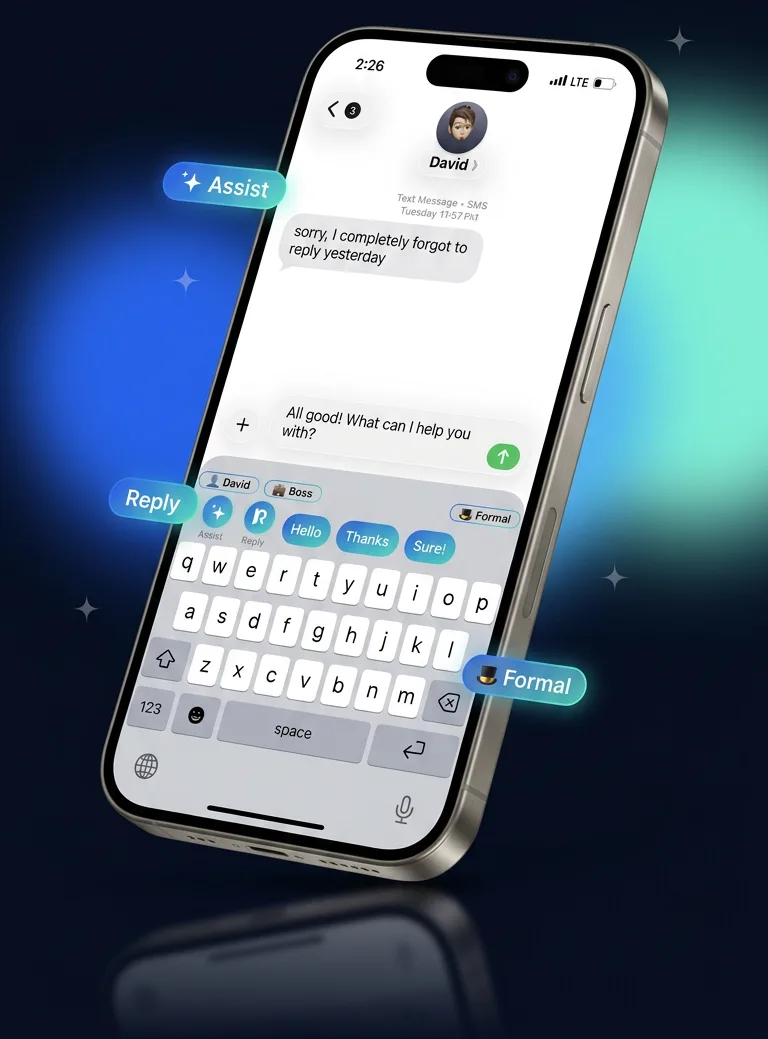
A Grammarly keyboard alternative is another way to get writing help inside the iPhone keyboard. ReePhly keeps spelling on the device, then calls Claude only when you tap Assist or Reply. Assist rewrites your draft. Reply answers a message you copied, using notes you saved for that person.
What should you compare, if not a score?
Look at the moment of help
ReePhly is built for a tap inside the chat you already have open. Assist rewrites your sentence. Reply drafts from a message you copied. You are not moving the text into a separate document editor.
Look at who the line is for
You can save a contact with a relationship, writing notes, and example messages, then tag them. Boss, Partner, and Friend can carry different tones because you set those notes. That is per-contact context, not a claim about any other keyboard.
Look at when text leaves the phone
Spelling as you type stays on the iPhone. Claude runs when you tap Assist or Reply. Allow Full Access is required for that network step. This page does not describe another company's data practices.
How is the approach different?
Grammarly Keyboard is another way to get writing help on iPhone. ReePhly's approach is two explicit actions plus an optional contact tag. Inline reply drafting means you copy their message and tap Reply without opening a second writing app. Per-contact tone means the notes you saved for that person can shape the draft. Those are descriptions of ReePhly, not a list of things another product lacks.
Where does the reply get drafted?
In the keyboard, in the app where you are already typing. The AI reply keyboard page is only about that Reply tap. The context-aware keyboard page is only about the saved contact.
What does this page refuse to say?
It does not state Grammarly's price, feature checklist, or star rating. It does not claim ReePhly wins a test we have not published. If you want a feel for the flow, tag a contact and tap Reply on a message you copied. If you want grammar on your own sentence, start with the AI grammar keyboard.
What does ReePhly cost?
The free plan is 0 USD. On-device spelling is included. Assist and Reply on the free plan use tokens. Wind a collectible, which plays a short rewarded ad, for 5 tokens, as often as you like. Pro is 4.99 USD per month, 39.99 USD per year, or 99.99 USD once for Lifetime. Pro removes ads and the token meter, and writing instructions can run to 300 words. Prices are ReePhly's, billed by Apple for the paid plans.
Install steps are the setup guide. What is sent on a tap is the privacy policy. The homepage is the product overview.
Common questions
Is ReePhly a Grammarly alternative for iPhone?
It is a different iPhone keyboard for writing help. Use it if you want Assist on your draft and Reply on a copied message, with optional notes per contact. It is not a document editor, and this page does not rank it against Grammarly.
Do you publish Grammarly's price or rating here?
No. Those change, and they are Grammarly's figures to state. ReePhly's own free plan is 0 USD, with optional Pro at 4.99 USD per month, 39.99 USD per year, or 99.99 USD once.
What if I only want grammar, not replies?
Use Assist and leave Reply alone. The AI grammar keyboard page describes that path. Spelling while you type still stays on the device.