 ReePhly
Assist
Rephrase a Message
To rephrase a message, keep the meaning and change the wording or tone. ReePhly does this with Assist, in the iPhone keyboard. Write your draft, tap Assist, and Claude can fix grammar or rewrite it as formal, friendly, or shorter. The text is sent only when you tap.
How do you rewrite a text without leaving the chat?
Type the rough version
Write what you mean in the app you already have open. Spelling help while you type stays on the iPhone. You are not opening a separate editor.
Tap Assist and pick the job
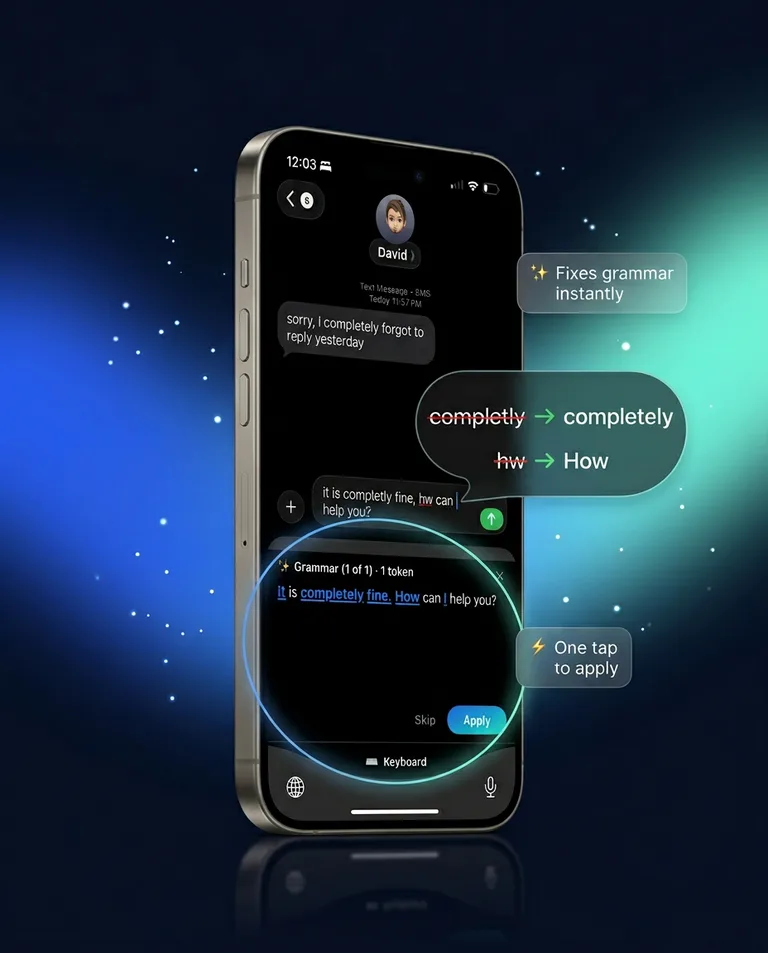
Assist can fix grammar or apply a rewrite style. The styles named in the privacy policy are formal, friendly, and shorter. Tapping Fix, a rewrite style, or Reply is what sends the current draft.
Apply only what you want
The grammar screen can show a one-tap Apply on a correction. Read it. A tone change that drops a fact you needed is a bad rewrite, even if the grammar is clean.
What tones can this tone changer actually use?
Formal, friendly, and shorter. Those are the on-demand rewrite styles the product describes. Formal is the one to reach for when the reader is a boss or a stranger and your draft is too loose. Friendly loosens a stiff line. Shorter cuts length. There is no separate slider beyond those styles and the notes on a tagged contact.
When should you tag a person first?
When the rewrite should sound like you with that specific human, not like a generic formal template. Save writing notes and examples, then tag them. That setup is the context-aware keyboard.
What is Assist not for?
It is not the tool that answers their message. If the hard part is what to say back, copy their text and use Reply, described on the AI reply keyboard page. If you are stuck on the social script, the how to reply examples come before any rewrite.
Grammar and spelling as a topic of their own, including what stays on the device, are on the AI grammar keyboard page. Typos while you type are the autocorrect page.
What leaves the phone?
The draft you chose, when you tap Assist. Allow Full Access is required so that tap can reach Claude. Keystrokes are not streamed as you type. Before a cloud request, the keyboard scans on the device for obvious secrets, such as card numbers or passwords, and blocks those requests. Read the privacy policy for the full account. Install steps are in the setup guide, and the product overview is on the homepage.
Common questions
How do I make my text sound professional?
Write the point plainly, then tap Assist and choose a formal rewrite. Professional here means clear and polite, not stiff. Cut jokes and filler after you see the suggestion, and keep any time, name, or commitment exact.
Is a message rewriter the same as Reply?
No. Assist rewrites words you wrote. Reply drafts from a message you copied. Both sit in the keyboard, and both wait for a tap before Claude runs.
Can I shorten a text without changing the ask?
Use the shorter rewrite style, then check that the request survived. A shorter line that drops the date is not the same message.